How to Use
Clause Library
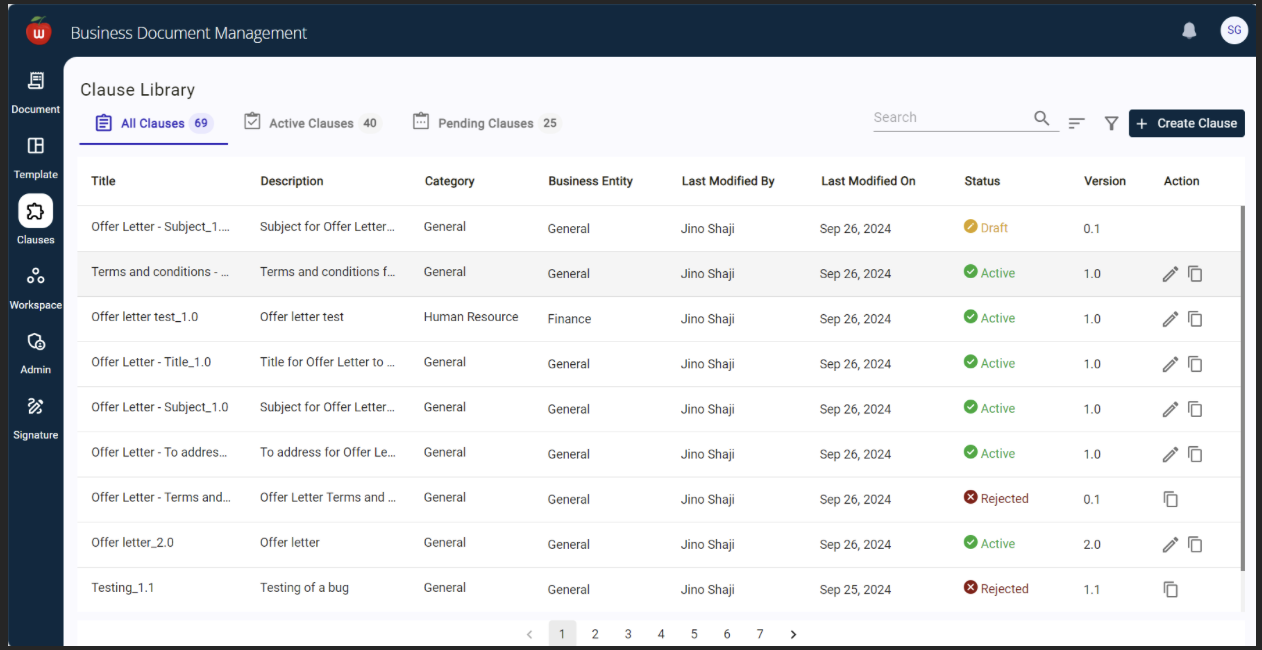 The Clause Library table shows All Clauses available in the system with their status.
| Feature | Description |
|---|---|
| Search | Filter clauses by name or other criteria |
| Create Clause | Create a new clause using the Create Clause option |
| Copy | Copy an existing clause using the Copy option |
Clause Details
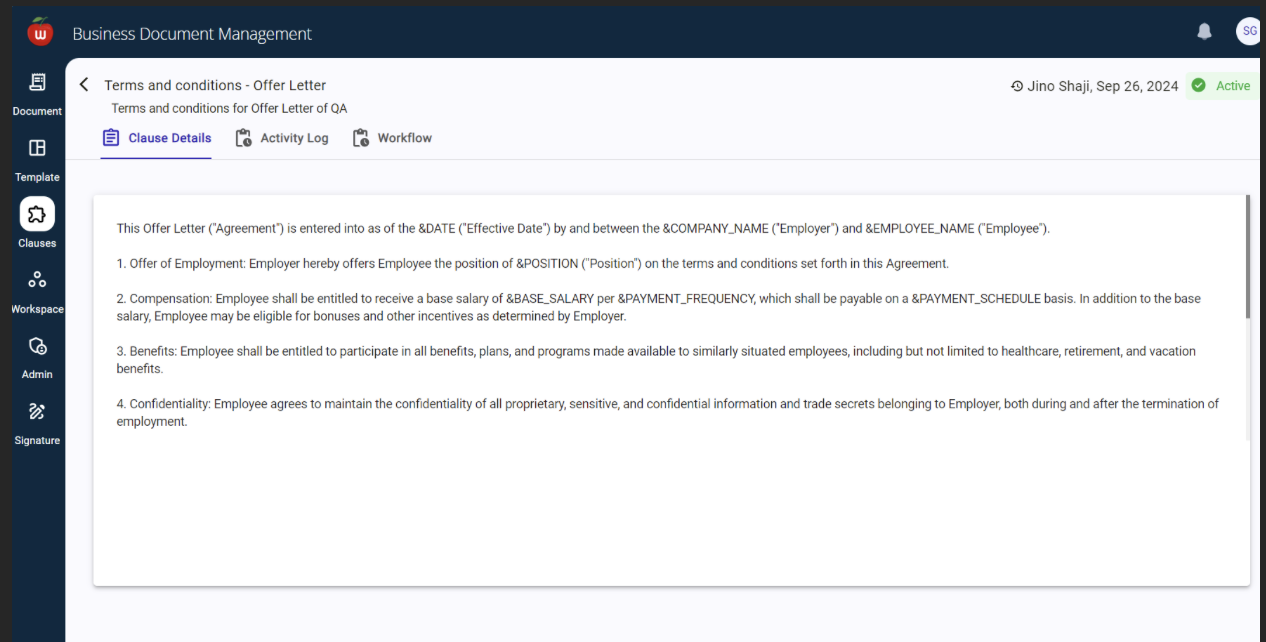 The Clause Details view shows the full details of a clause along with the Activity Log and Workflow details.
Create Clause
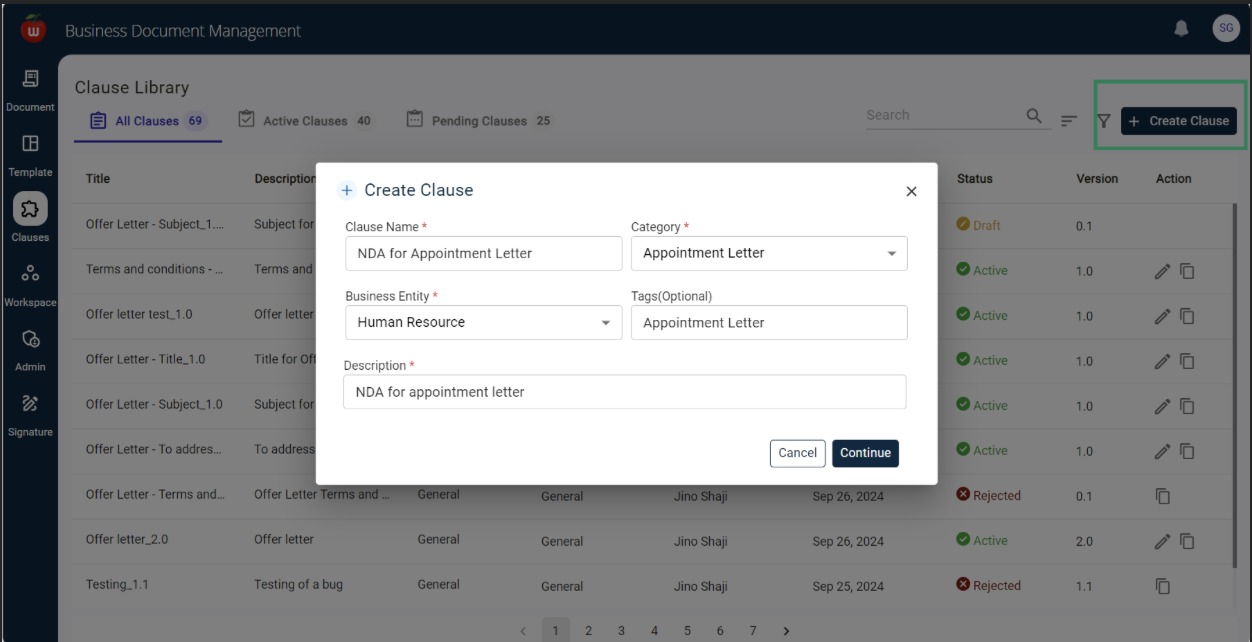
- Provide the basic details of the clause and click Continue.
- Enter the clause content in the Rich Text Editor.
- The editor provides a variety of text formatting options.
Gen AI for Clause Generation
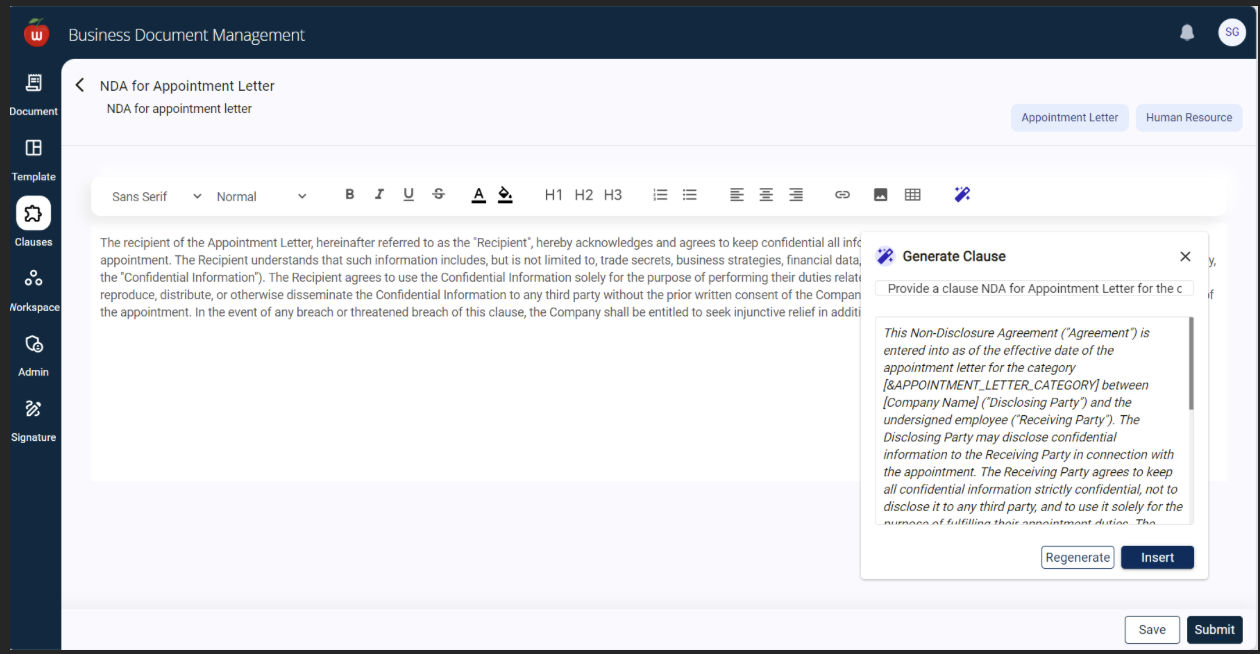 The integrated Gen AI feature in the Rich Text Editor allows users to generate clauses from prompts.
| Step | Action |
|---|---|
| 1 | Click the Gen AI prompt box — a default prompt is displayed |
| 2 | Customize the prompt to fit specific clause requirements |
| 3 | Click Regenerate to improve the quality of the generated clause |
| 4 | Click Insert to copy the generated clause into the editor |
SuccessFactor Integration — Calling via Postman
To call SF APIs, you need an authorization code generated using an assertion token.
1. Fetch Assertion Token:
curl --location 'https://api68sales.successfactors.com/oauth/idp' \
  --header 'Content-Type: application/x-www-form-urlencoded' \
  --header 'Application-Interface-Key: saptest0' \
  --header 'Accept: /' \
  --data-urlencode 'client_id=ZTlhMDMzOTFiMzA1YWQ2NzI2Y2IyYWNlOGMyNA' \
  --data-urlencode 'token_url=https://api68sales.successfactors.com/oauth/token' \
  --data-urlencode 'user_id=sfadmin' \
  --data-urlencode 'private_key=...'
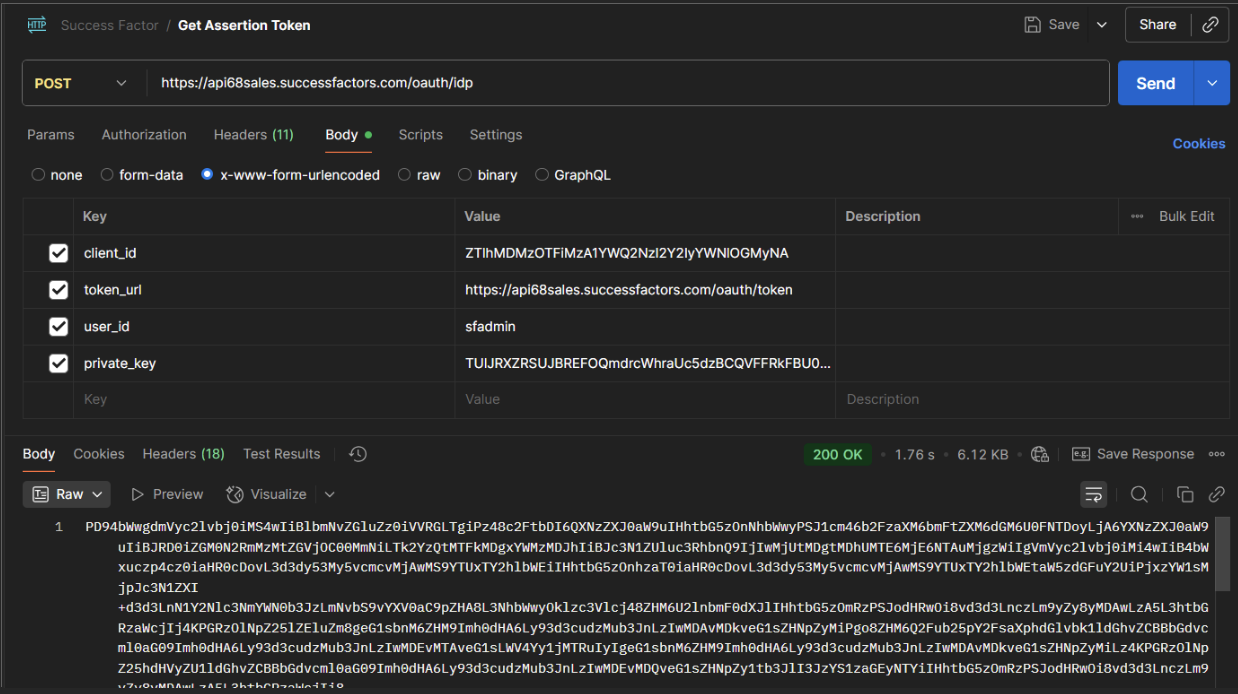 The response contains the Assertion Token.
2. Fetch Authorization Token:
curl --location 'https://api68sales.successfactors.com/oauth/token' \
  --header 'Content-Type: application/x-www-form-urlencoded' \
  --header 'Application-Interface-Key: saptest0' \
  --header 'Accept: application/json' \
  --data-urlencode 'assertion={assertion_code}' \
  --data-urlencode 'client_id=ZTlhMDMzOTFiMzA1YWQ2NzI2Y2IyYWNlOGMyNA' \
  --data-urlencode 'grant_type=urn:ietf:params:oauth:grant-type:saml2-bearer' \
  --data-urlencode 'company_id=SFCPART000881'
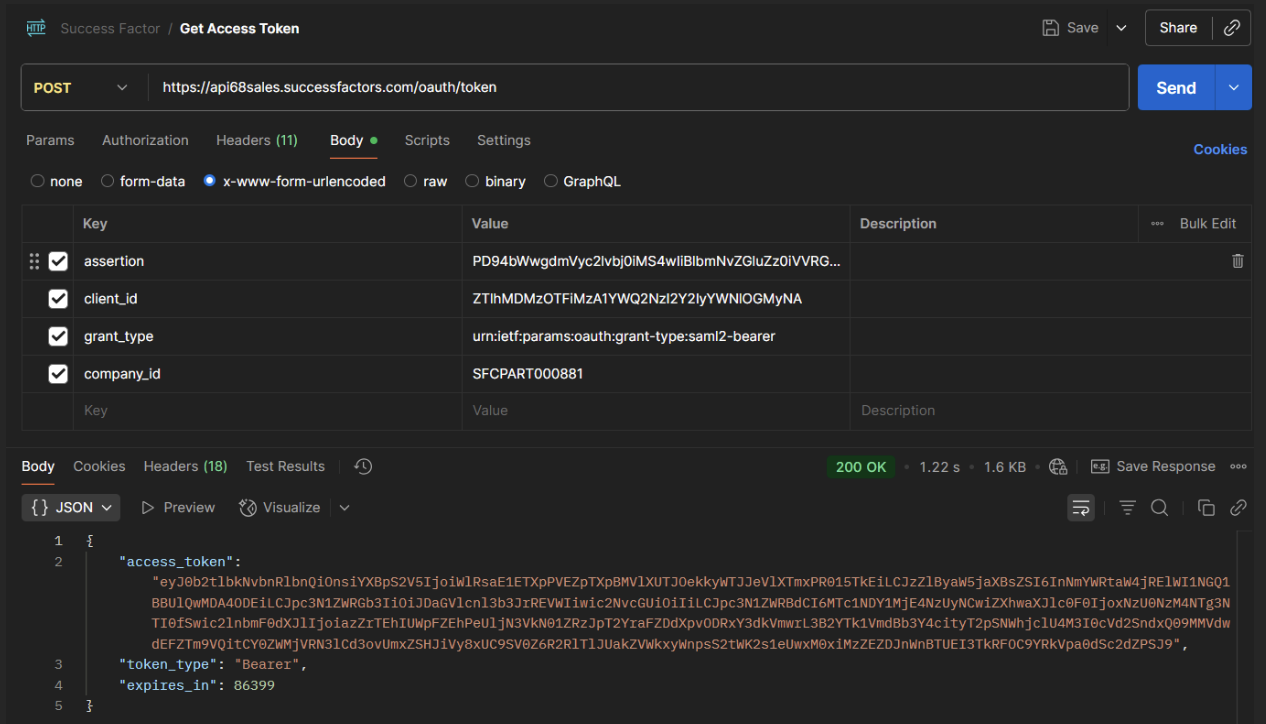 Use this token as the Bearer token for SF API calls.
3. Fetch SF API Data:
curl --location 'https://api68sales.successfactors.com:443/odata/v2/PerPerson' \
  --header 'Authorization: Bearer {token}' \
  --header 'Application-Interface-Key: saptest0' \
  --header 'Accept: application/json'
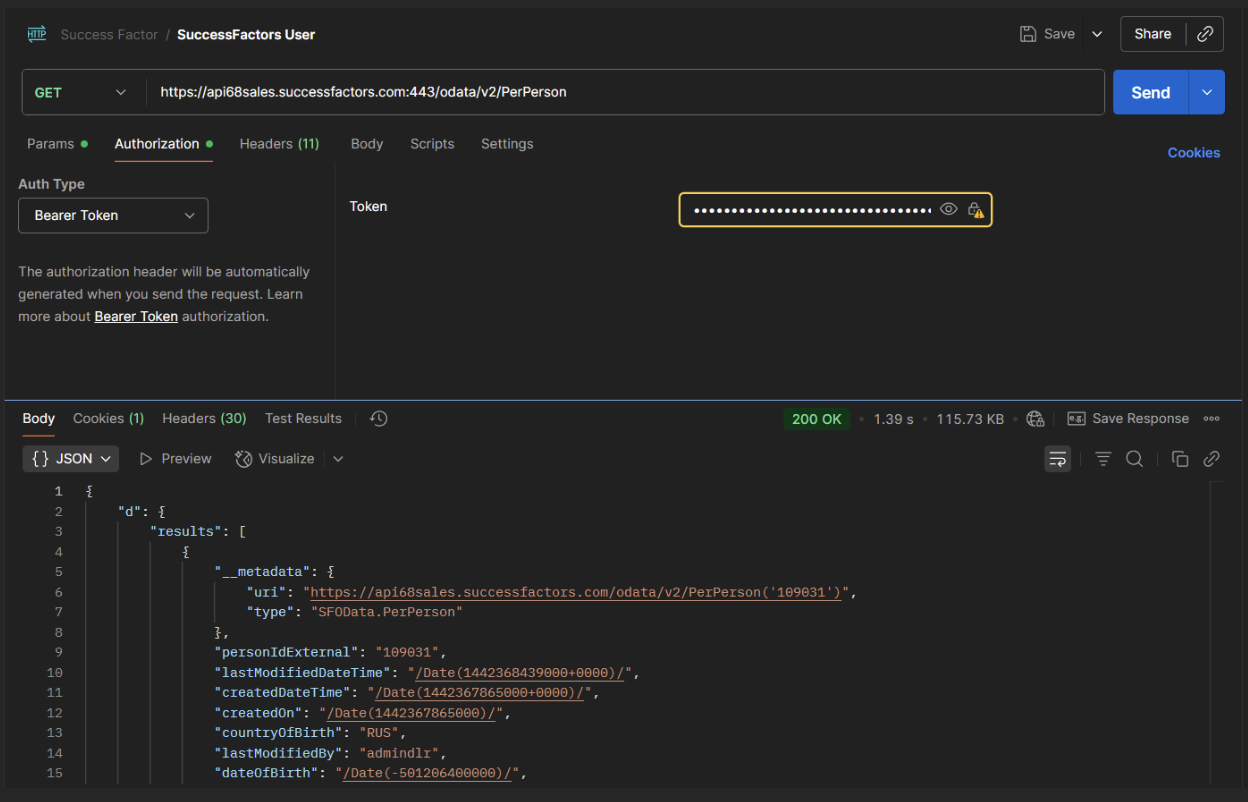
| Parameter | Description |
|---|---|
expand | Show related details alongside the main record |
select | Return only the specified fields |